EduRise hesabınızı silmek için aşağıdaki adımları takip edebilirsiniz:
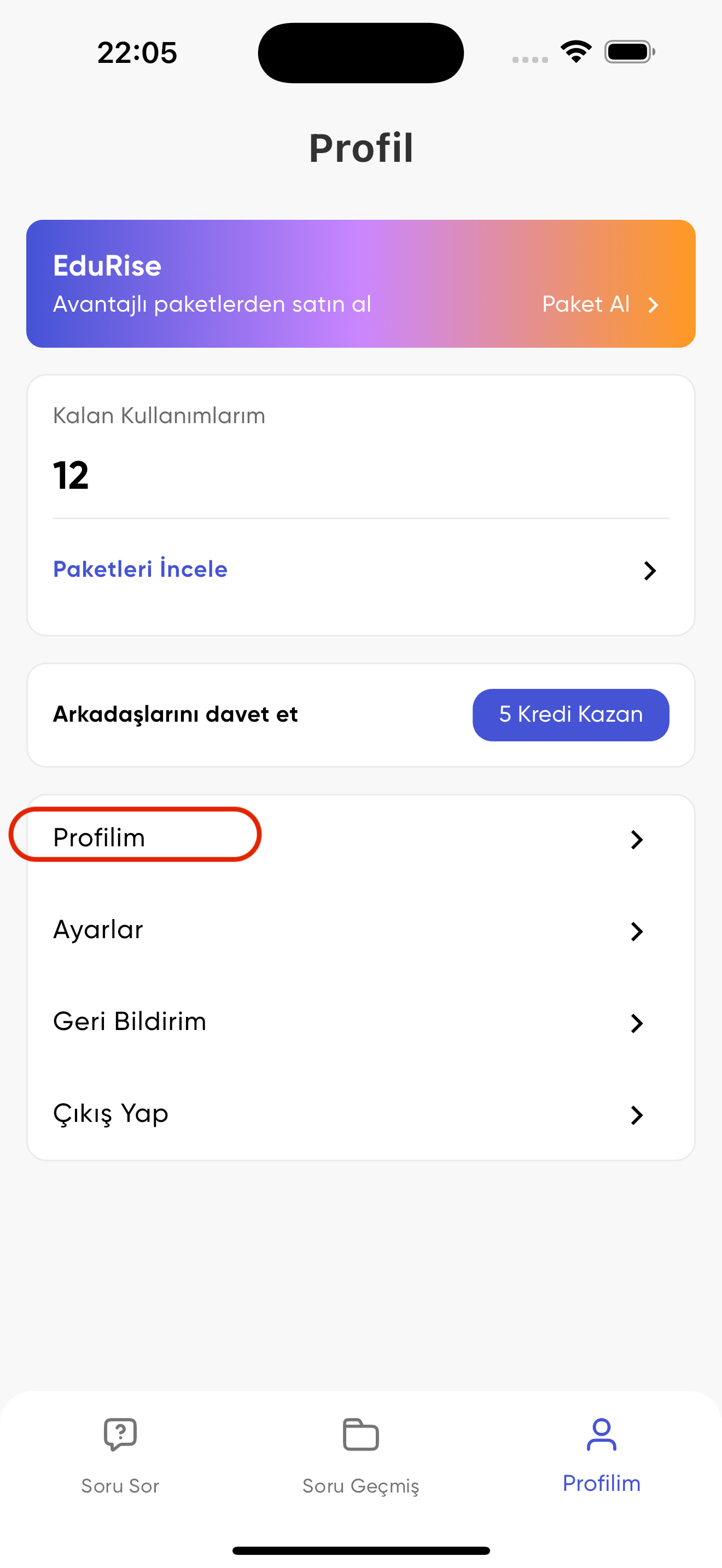
1. Profilim sayfasına gidin
Ana ekranın alt kısmında bulunan "Profilim" sekmesine tıklayın, ardından "Profilim" butonuna tıklayın.
2. Hesabımı Sil butonuna tıklayın
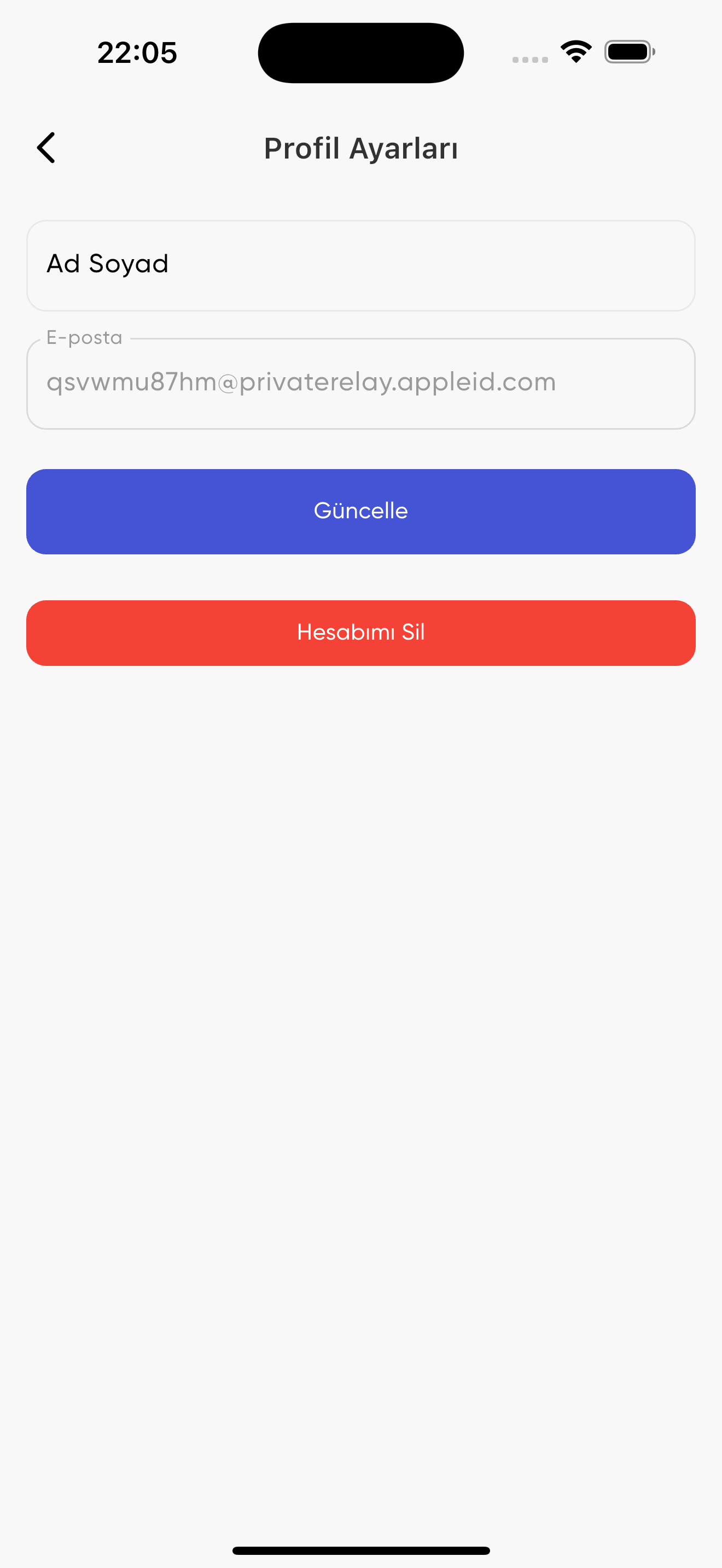
Profil ayarları sayfasının en altında bulunan kırmızı renkli "Hesabımı Sil" butonuna tıklayın ve onaylayın.
Önemli Not: Hesabınızı sildikten sonra tüm verileriniz kalıcı olarak silinecektir ve bu işlem geri alınamaz.